


Automated trading robots (Expert advisors) are a recent trend in Forex and stocks trades. An Expert Advisor, as mentioned in the previous lesson, is an automated trading algorithm that can analyze market conditions, open and close trades, and place stop orders.
Many traders are now using Expert Advisors to take control of their Forex trading. Although these EAs are available on the market, they can often be very expensive. Once you have developed a trading strategy, it is possible to create an expert advisor that can replicate your trading strategy.
How to Create Your Own EA
You will need to install MT4 in order to create an expert advisor. Also, you’ll need to understand programming and MQL4 languages. There are many forums that you can also use. After you have all the necessary information, you can begin to follow these steps:
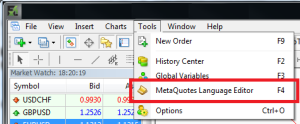
1. Open MetaEditor: Tools > MetaQuotes Language Editor

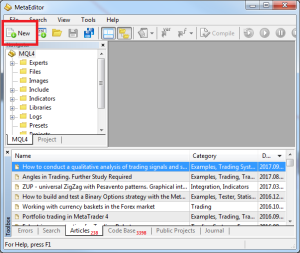
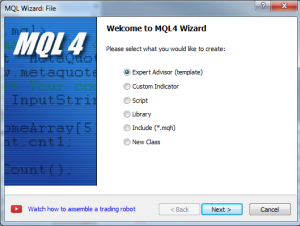
2. Select New > Expert Advisor. Continue by clicking Next

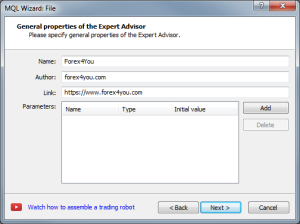
3. In the General Properties of the Expert Advisor window enter the Name, Author, Link, and Parameters. To add or delete special parameters, use the Add and Delete buttons. To continue, click Finish

4. You can now enter Expert Advisor programming code in the new window using MQL4 syntax and language.

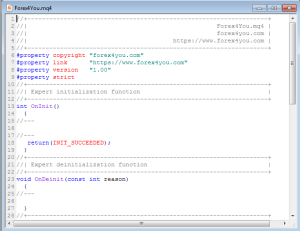
(Note: Traders may learn more about programming within the MQL4 environment through the MT4 Help Guides or by searching the MQL4 community forum).
5. Once the Expert Advisor code has been completed click File > Compile.
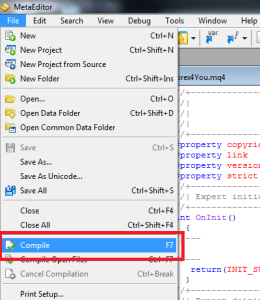

6. Once the Expert Advisor has been successfully compiled, it will appear in your Navigator window and is now ready for use.
It is crucial that you verify that your EA is profitable before you release it to the market. Before you put it to the test on a live account, test it first in the strategy tester.
The risk involved with forex trading online shouldn’t be overlooked. There is a chance of losing a significant amount of money if you don’t know what you’re doing. It is crucial to gain a knowledge of the market prior to you even begin investing with money. Keep reading our lessons.